Labels
Labels 是套用於 Entities 的註記,適用對象包括使用者、IP addresses、電子郵件及其他受追蹤物件。Labels 連接人工判斷與 Osprey 自動規則系統;手動套用的 Label 可以成為 Rules 的依據,讓 Rules 自動處理後續 Events。
Labels 分成三種 connotations。
- Negative 有害或有問題,例如
spammer、bot、banned、suspicious - Positive 受信任或已驗證,例如
verified、trusted、premium_user - Neutral 提供資訊,例如
new_user、from_mobile、beta_tester
每次套用 Label 時都必須提供原因。
Entity Details
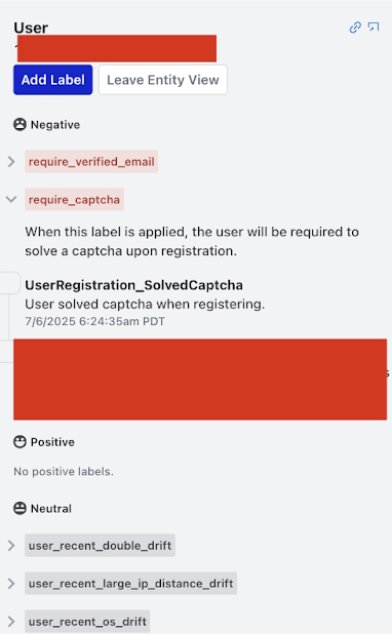
在介面任何位置選取 Entity,都會進入 Entity 檢視,並依 Label 名稱分組顯示曾套用於該 Entity 的所有 Labels。
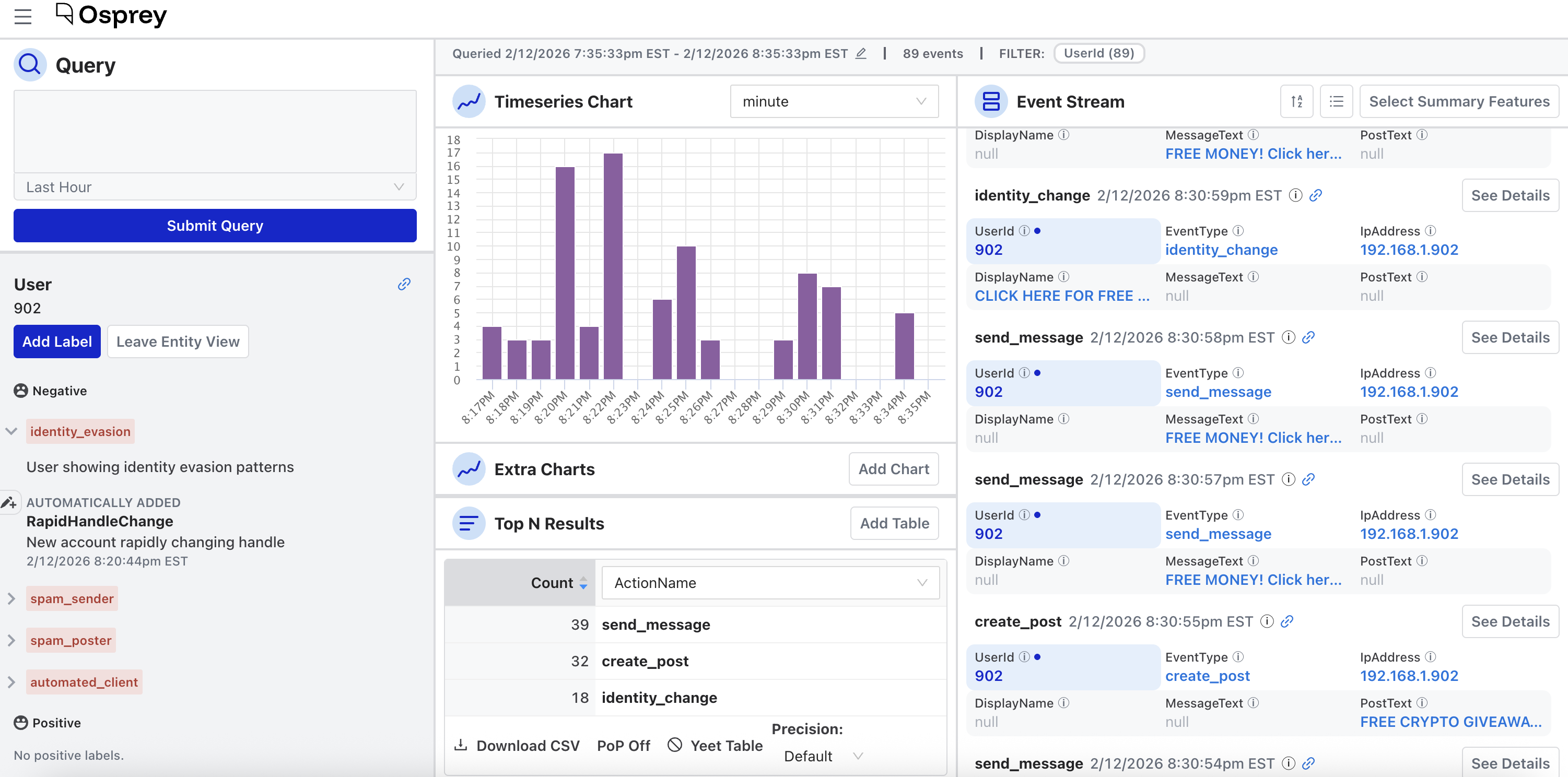
每筆 Label 紀錄會顯示下列資訊。
- Label value 與 type
- Label 是由 Rule 自動套用、手動套用,或透過批次 action 套用
- 提供的原因
- 套用者與套用時間
手動新增
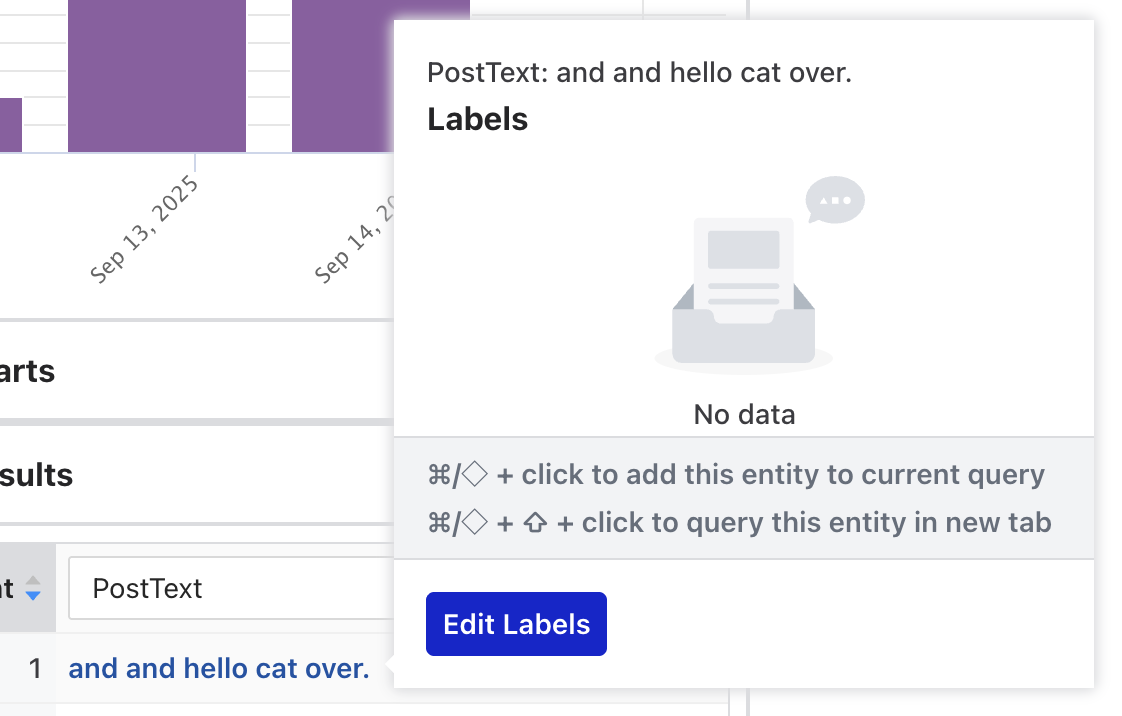
在 Top N 表格中,將游標停在 Entity row 上方,再選取 Edit Labels。
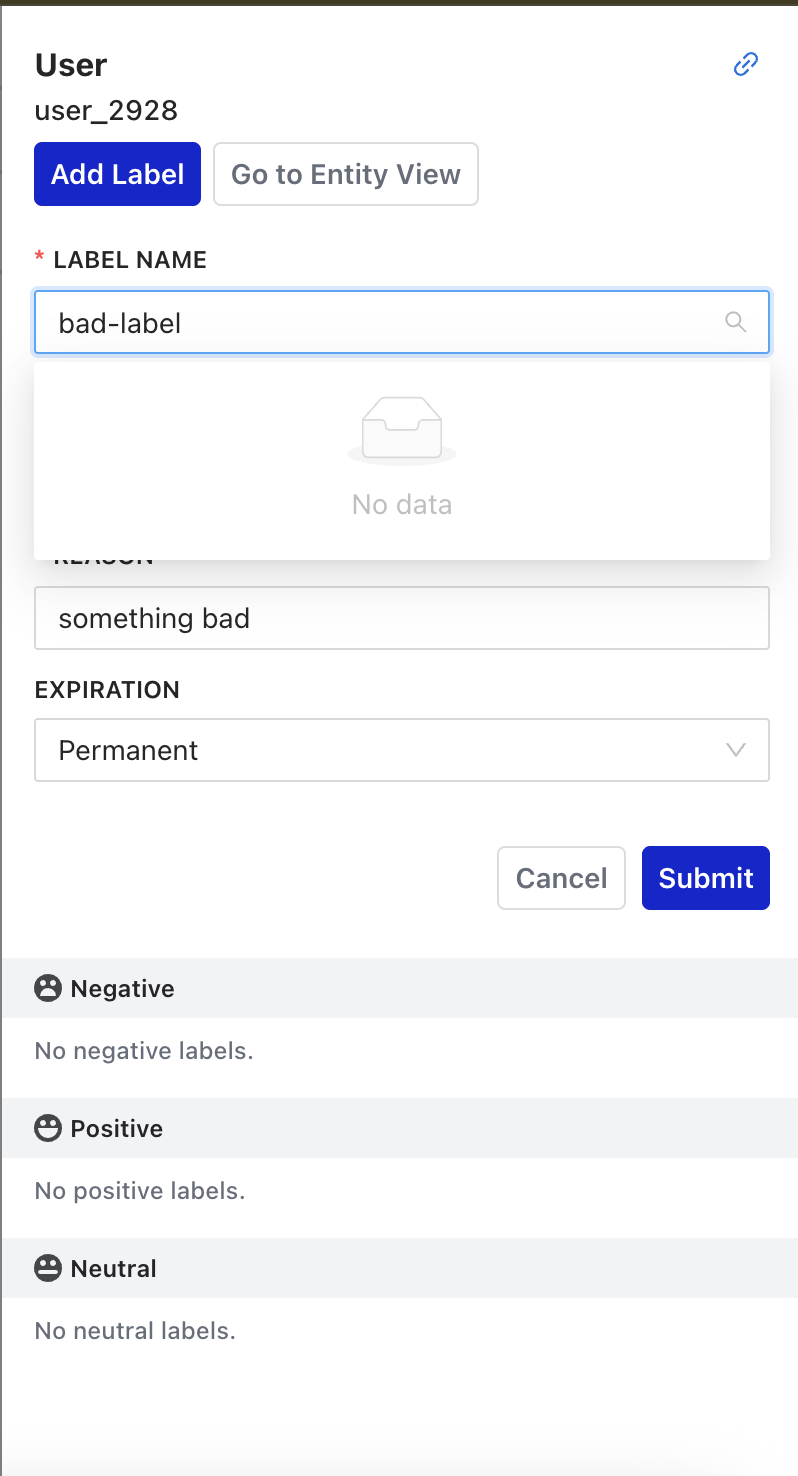
在 Event Stream 中選取任一 Entity,可以開啟該 Entity 的 Label drawer。
Labels 的其他使用方式請見英文官方文件的撰寫規則與 Labels章節。
治理提醒
Labels 可能持續影響後續自動判斷。正式導入時應限制存取權限、記錄套用原因、設定必要的保存或到期規則,並提供誤標修正與複核方式。